
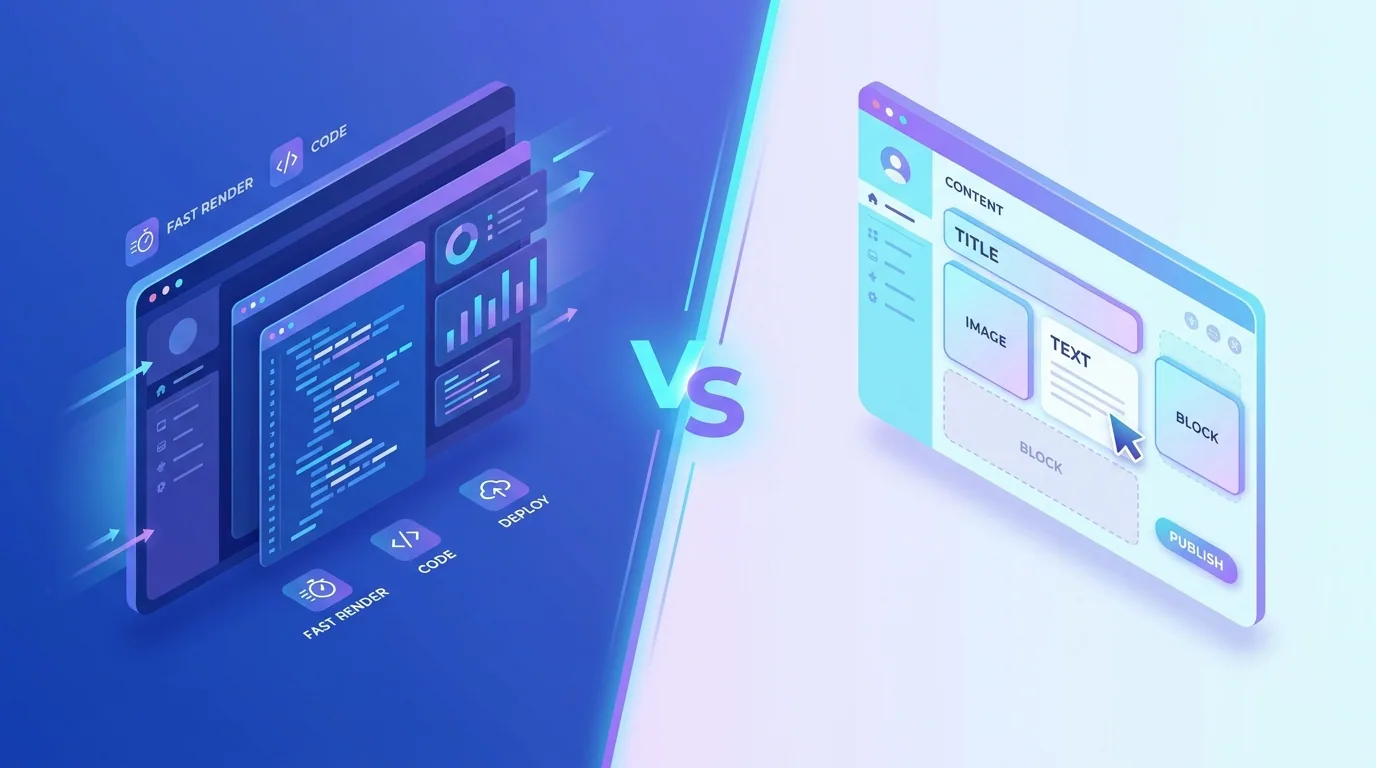
Next.js vs WordPress comes down to this: choose WordPress if you want a familiar, content-editor-friendly CMS with a huge plugin ecosystem and the lowest barrier to entry, and choose Next.js if you want maximum performance, security, scalability, and a modern developer experience for a custom site or app. Many high-end builds now combine both as a headless setup.
Both can produce excellent websites, so the right answer depends on your priorities — editing convenience versus engineering control, off-the-shelf speed versus bespoke performance. This guide compares them across the dimensions that actually matter in 2026 so you can decide with confidence rather than tribal loyalty.
Next.js vs WordPress: what is the core difference?
WordPress is a content management system: you log into a dashboard, install themes and plugins, and publish without touching code. Next.js is a React framework for building fast, custom web applications and sites, where the interface and behaviour are engineered rather than assembled from plugins.
Put simply, WordPress optimises for convenience and breadth, while Next.js optimises for performance and control. WordPress powers a vast share of the web because it is approachable; Next.js wins where speed, custom functionality, and scalability are non-negotiable.
Which is faster for website performance?
For raw performance, Next.js generally wins. With server-side rendering, static generation, automatic code splitting, and image optimisation built in, Next.js sites tend to hit the 2026 Core Web Vitals targets — an LCP near 2.0s, INP under 200ms, and CLS under 0.1 — more easily and consistently.
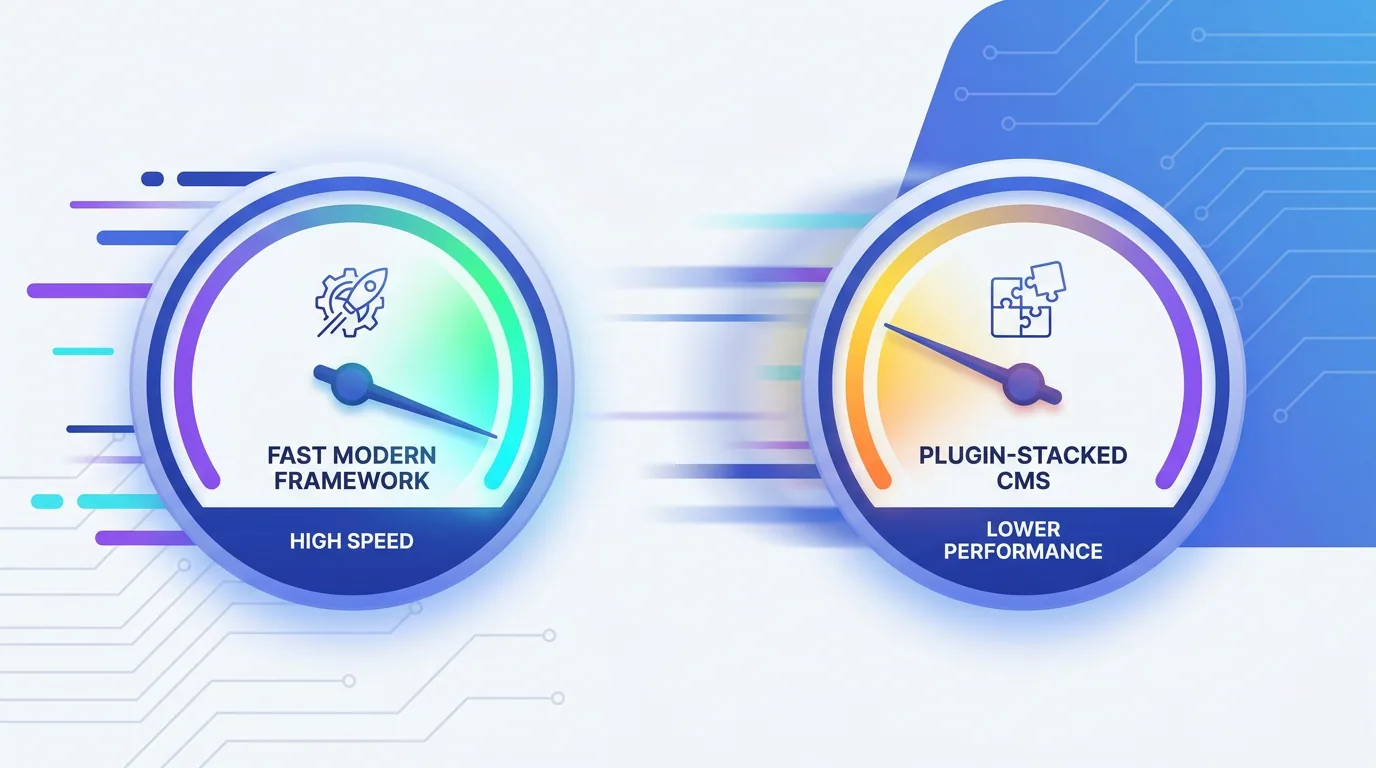
WordPress can be fast, but it often is not by default. Heavy themes, stacked plugins, and render-blocking scripts commonly drag down performance, and keeping a plugin-rich WordPress site fast requires ongoing discipline, caching, and cleanup. Performance is where many WordPress projects quietly underperform.
What about SEO in 2026?
Both platforms can rank well, because SEO ultimately rewards fast, well-structured, helpful content. WordPress has mature SEO plugins that make on-page optimisation accessible to non-developers, which is a genuine strength. Next.js gives developers granular control over rendering, metadata, structured data, and performance — the foundations of strong SEO in an AI-search era.
In 2026, with AI Overviews and answer engines depending on fast crawling and clean rendering, the performance edge of Next.js translates into a real SEO advantage for competitive niches. That said, content quality and authority still decide outcomes more than the framework choice alone.
There is a practical caveat worth naming. WordPress's SEO plugins lower the skill barrier dramatically, which means a non-technical marketer can ship clean titles, meta descriptions, sitemaps, and schema without help. With Next.js, that same hygiene exists but lives in code, so you need a developer or a well-built component library to keep it consistent. Neither approach is better in the abstract — what matters is whether your team can reliably maintain good SEO habits on the platform you choose.
Which is easier for content editors to use?
This is WordPress's home turf. Its block editor lets non-technical staff create pages, embed media, and publish posts independently, which keeps content fresh without a developer in the loop. For teams that publish frequently — blogs, news, resource libraries — that autonomy is genuinely valuable and often the deciding factor.
A plain Next.js site, by contrast, typically requires a developer to change content unless you connect a CMS. That is precisely why the headless pattern exists: it restores editor-friendly publishing on top of a Next.js front end. If editing independence is a priority, plan for a CMS layer from the start rather than discovering the gap after launch.
What is headless, and should you use it?
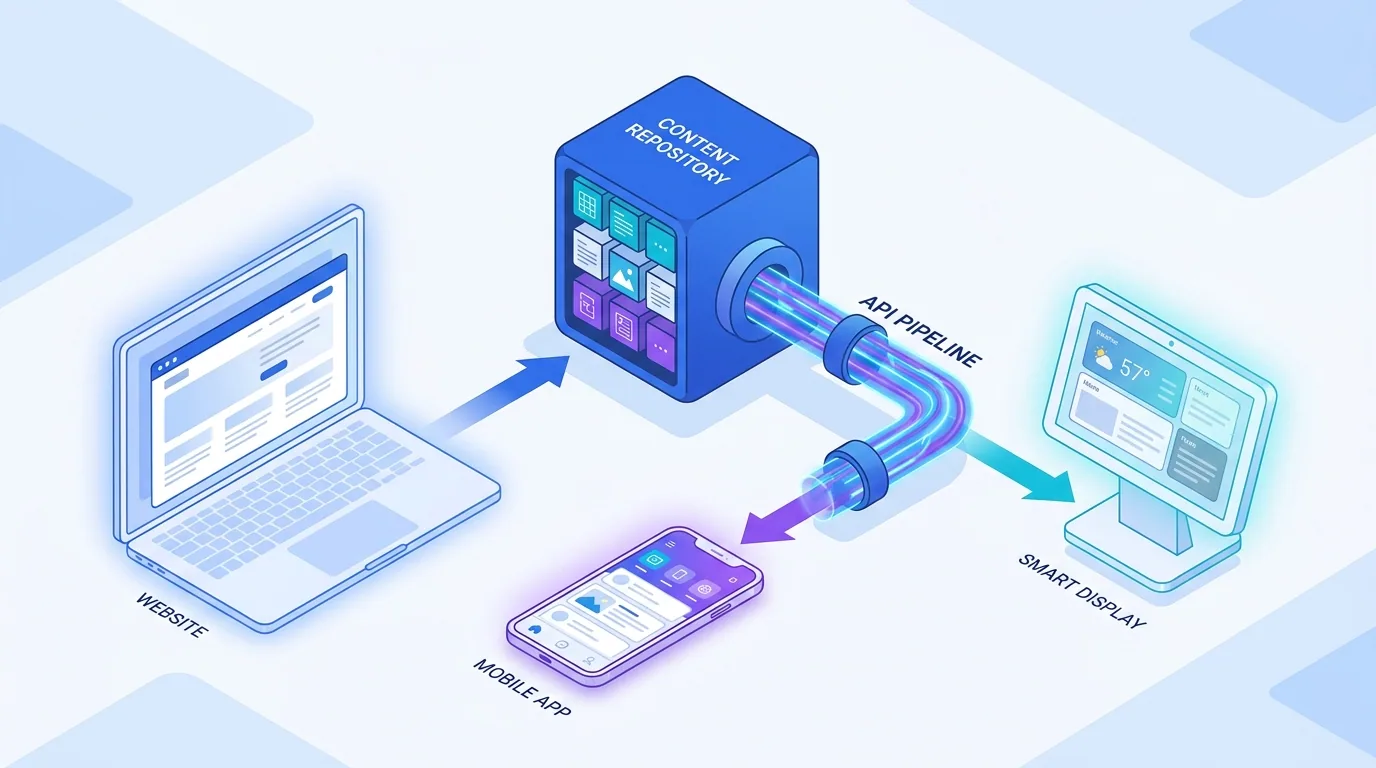
Headless architecture is the best-of-both-worlds option growing fast in 2026. You keep WordPress (or another CMS) as the content editor that your team already knows, and use Next.js as the front end that renders it — fast, secure, and fully custom. Content editors get familiar tools; visitors get a modern, high-performance experience.

Headless adds engineering complexity and cost, so it suits content-heavy brands, publishers, and businesses that need both easy editing and elite performance. For a small brochure site, it is usually overkill; for an ambitious content-led brand, it can be transformative.
Which is more secure and easier to maintain?
Security is a notable difference. WordPress's popularity and plugin model make it a frequent target; outdated plugins and themes are a leading cause of compromised sites, so it demands diligent updates and hardening. Next.js has a smaller attack surface, especially for statically generated pages with no traditional database exposed to the public.
- WordPress maintenance: regular core, theme, and plugin updates, security hardening, and backups are essential.
- Next.js maintenance: fewer moving parts to exploit, though it requires developers for content-model or feature changes.
- Editing experience: WordPress wins for non-technical editors out of the box; Next.js needs a CMS layer for that comfort.
- Scaling: Next.js scales smoothly to high traffic; WordPress scales but often needs careful caching and infrastructure.
The platform debate misses the point if you ignore who maintains the site. Choose the stack your team can actually run well — performance you cannot sustain is performance you do not have.
— Aiden Brooks, Lead Web Engineer, Fryntavo
What does each cost?
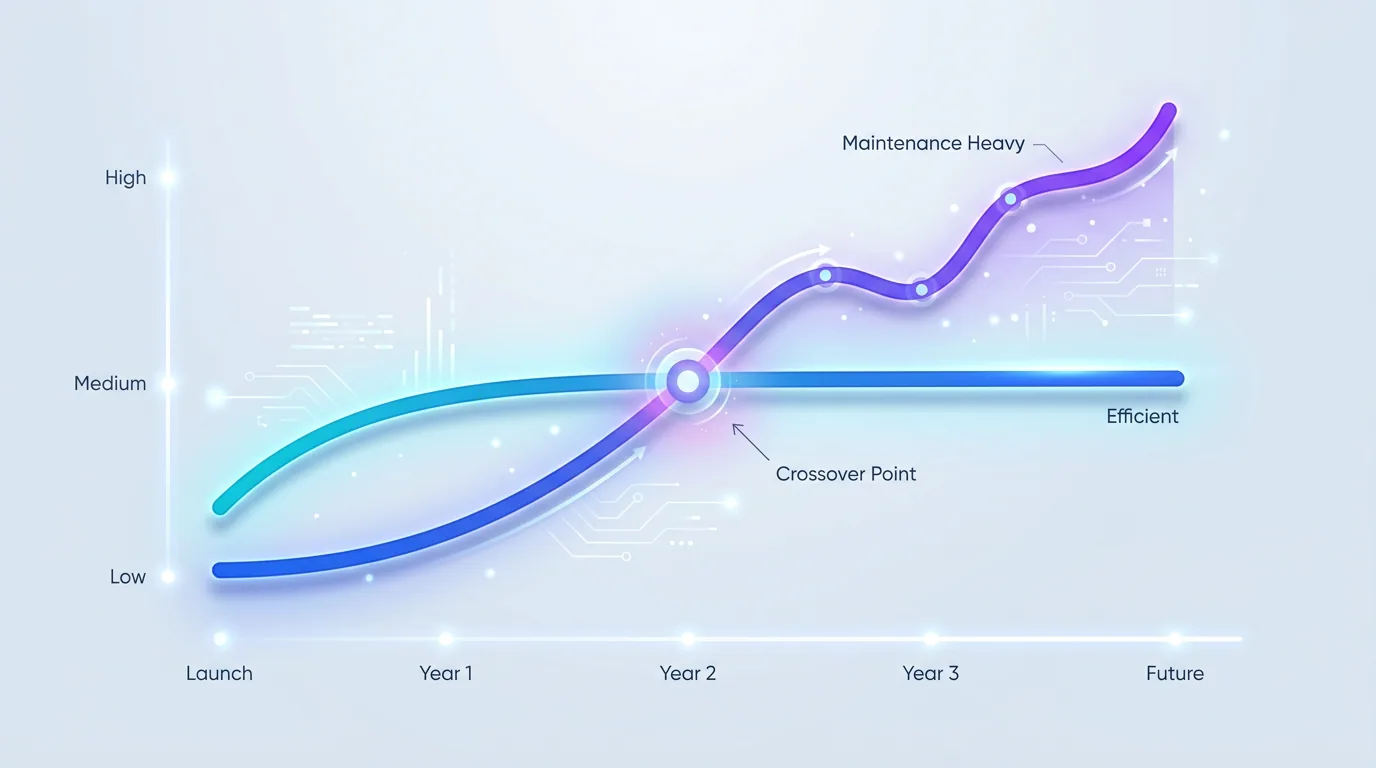
WordPress usually has a lower entry cost — affordable themes, plugins, and a large pool of developers keep initial budgets down. Next.js typically costs more upfront because it is custom-built, but it can cost less over time thanks to lower plugin sprawl, fewer security incidents, and better performance. Match the investment to how central the site is to your business.
Hiring also factors into total cost. WordPress talent is abundant and competitively priced, so finding someone to make a change is easy and cheap. Skilled Next.js and React developers command higher rates and are in shorter supply, which can raise the cost of changes if you do not have in-house capability. Weigh not just the build price but who will maintain and evolve the site for years afterward.
So which should you choose in 2026?
Choose WordPress if your team needs to edit content independently, budget is tight, and a plugin can cover most of your needs. Choose Next.js if performance, security, scalability, or custom functionality are priorities and you have development support. Choose headless if you genuinely need both elite performance and easy editing at scale.
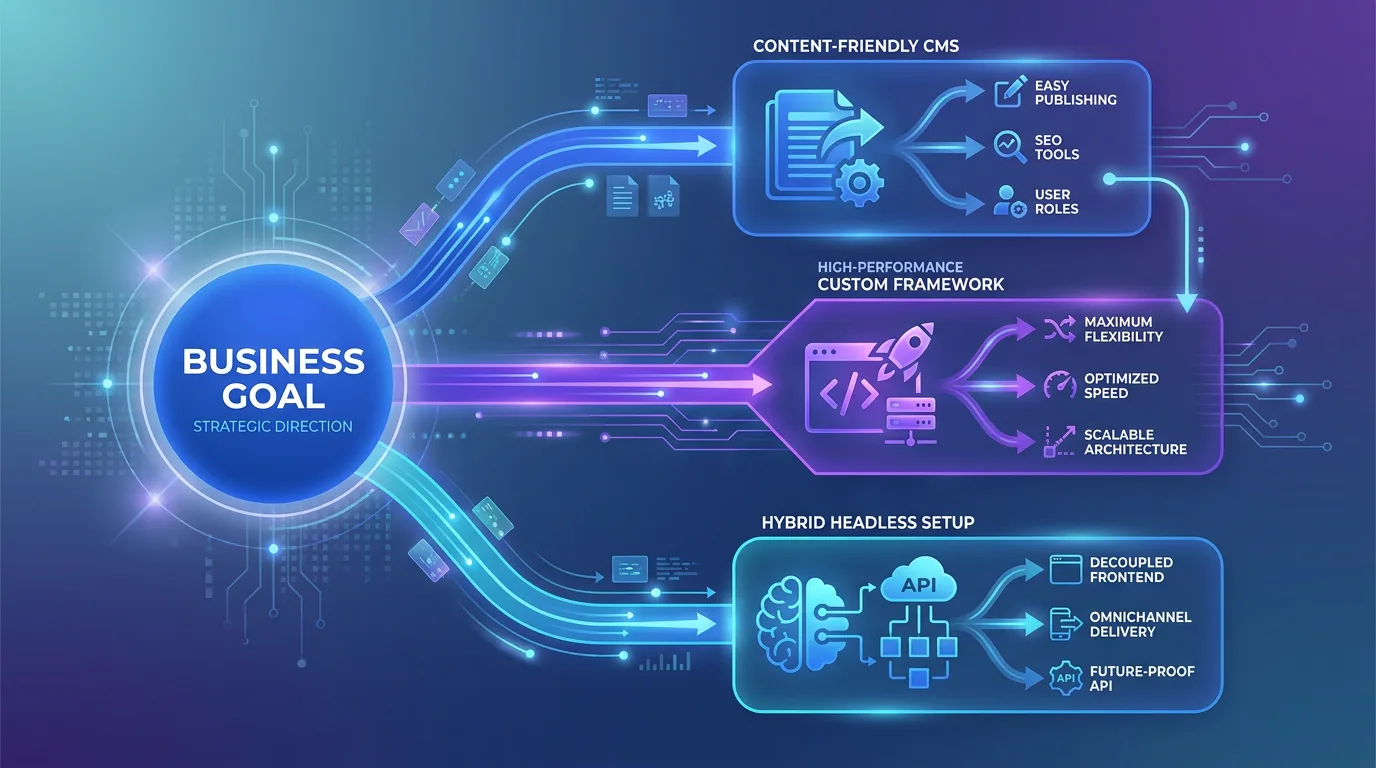
There is no universally right answer — only the right fit for your goals, team, and budget. If you want help making the call, our web development team builds on both WordPress and Next.js and will recommend the platform that serves your business, not our preferences.
Not sure whether Next.js, WordPress, or headless fits your project? Our engineers will recommend the right platform for your goals and budget.
Get a Free Platform ConsultationFrequently asked questions
Is Next.js better than WordPress?
Neither is universally better — they serve different needs. Next.js is better for performance, security, scalability, and custom functionality, while WordPress is better for easy content editing, lower entry cost, and a vast plugin ecosystem. The right choice depends on your priorities and team.
Is Next.js faster than WordPress?
Generally yes. Next.js includes server-side rendering, static generation, code splitting, and image optimisation that help it hit 2026 Core Web Vitals targets by default. WordPress can be fast with a lightweight theme and minimal plugins, but it often slows down as plugins and scripts accumulate.
What is a headless CMS?
A headless setup separates content management from the front end. You keep a familiar CMS like WordPress for editing, and use a framework like Next.js to render that content via an API. Editors get familiar tools while visitors get a fast, custom experience, at the cost of added engineering complexity.
Which platform is better for SEO?
Both can rank well because SEO rewards fast, well-structured, helpful content. WordPress offers mature SEO plugins for non-developers, while Next.js gives granular control over rendering, metadata, and performance. In competitive niches, the performance edge of Next.js can translate into a real SEO advantage.
Is WordPress less secure than Next.js?
WordPress is a more frequent target due to its popularity and plugin model, and outdated plugins are a common cause of breaches, so it requires diligent updates and hardening. Next.js has a smaller attack surface, especially for statically generated pages without a publicly exposed database.
Which is cheaper, Next.js or WordPress?
WordPress usually has a lower upfront cost thanks to affordable themes, plugins, and a large developer pool. Next.js often costs more to build but can cost less over time through better performance, less plugin sprawl, and fewer security incidents. Match the investment to how important the site is.
Can I migrate from WordPress to Next.js?
Yes. A common path is moving to a headless architecture where WordPress stays as the content editor and Next.js becomes the front end, preserving your content and workflow while gaining performance. A full custom Next.js rebuild is also possible for sites that need it.
Which platform does Fryntavo recommend?
Fryntavo builds on both WordPress and Next.js and recommends the platform that best fits your goals, team, and budget rather than a fixed preference. Book a free platform consultation and we will advise on the right choice for your project.
Ready to put this into action?
Fryntavo helps brands grow with web development, SEO, marketplace management, and AI automation. Book a free, no-obligation strategy call.
Book a Free Strategy Call