

Core Web Vitals in 2026 measure three things: how fast your main content loads (LCP), how quickly your page responds to interactions (INP), and how stable the layout is (CLS). The current healthy targets are an LCP near 2.0 seconds, an INP at or under 200ms, and a CLS at or below 0.1. Hit all three at the 75th percentile of real users and you are in the green.
The biggest shift this cycle is the tightening around INP — Interaction to Next Paint — which fully replaced the old First Input Delay metric and is now the responsiveness signal Google watches most closely. If your site feels laggy when people tap, click, or type, INP is where it shows up, and it is increasingly a technical SEO issue, not just a UX one.
What are Core Web Vitals in 2026?
Core Web Vitals are a set of user-centred performance metrics Google uses as part of its ranking signals. They reflect the real experience of loading and using a page on actual devices and networks, drawn from field data in the Chrome User Experience Report rather than a single lab test.
These thresholds describe a 'good' experience at the 75th percentile, meaning at least three out of four of your real visitors must hit them. Passing in a clean lab test on your fast laptop is not enough — field data on mid-range mobile devices is what counts.
What changed with INP in 2026?
INP measures the latency of nearly all interactions a user has with a page across the whole visit, then reports the worst-case responsiveness. Unlike the old FID metric, which only looked at the first interaction's input delay, INP captures the full cycle: input delay, processing time, and the time to paint the next frame. That makes it far harder to game and far more honest about how your site actually feels.
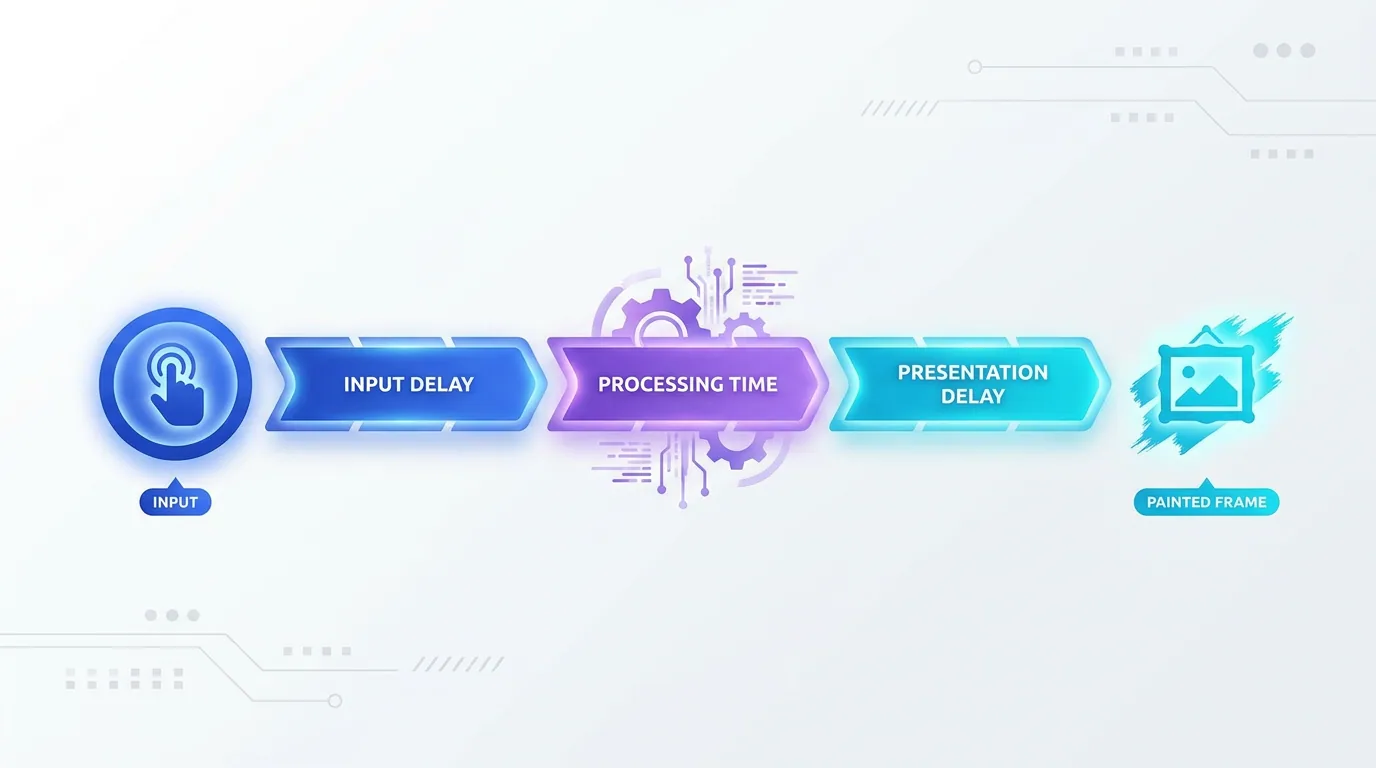
The usual culprit behind a poor INP is heavy JavaScript blocking the main thread. When a tap fires an event but the browser is busy running scripts, the response is delayed and the metric suffers. Sites loaded with third-party tags, large frameworks, and unoptimised event handlers feel this most.
- Break up long JavaScript tasks so the main thread can respond between chunks.
- Defer or lazy-load non-critical scripts and third-party tags (chat widgets, analytics, ads).
- Use `requestIdleCallback` and yielding patterns to avoid blocking interactions.
- Minimise layout work triggered by event handlers — batch DOM reads and writes.
- Audit heavy components and replace blocking libraries with lighter alternatives.
How do you improve LCP toward 2.0 seconds?
Largest Contentful Paint marks when the biggest visible element — usually a hero image, heading, or banner — finishes rendering. To pull LCP toward the 2.0-second target, you need the critical content to load early and unblocked. Slow servers, render-blocking resources, and unoptimised images are the most common offenders.
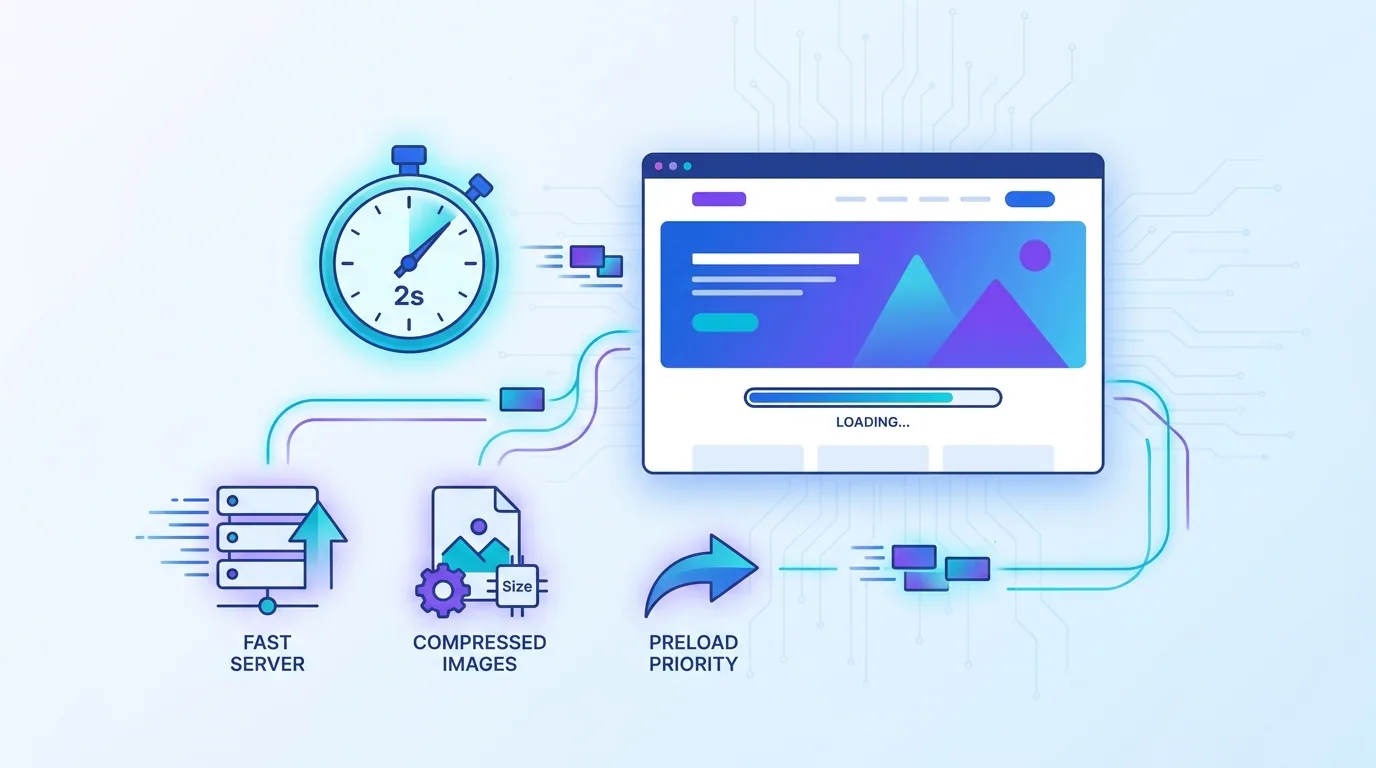
- Serve images in modern formats (WebP, AVIF) and size them correctly for the device.
- Preload the LCP element and use `fetchpriority="high"` on the hero image.
- Reduce server response time with caching, a CDN, and efficient rendering.
- Eliminate render-blocking CSS and JavaScript above the fold.
- Adopt server-side rendering or static generation so content arrives ready to paint.
This is exactly why we build client sites on fast, modern foundations through our web development service — server-side rendering, disciplined JavaScript, and image pipelines that make a 2.0-second LCP the default rather than a struggle.
What about CLS and visual stability?
Cumulative Layout Shift measures unexpected movement of page content as it loads. Few things frustrate users more than tapping a button that jumps because an ad or image loaded late. Keeping CLS at or under 0.1 is largely about reserving space before content arrives.
- Always set explicit width and height (or aspect-ratio) on images and video.
- Reserve space for ads, embeds, and dynamically injected banners.
- Preload fonts and use `font-display` settings that avoid layout-shifting swaps.
- Avoid inserting content above existing content unless triggered by a user action.
Why do Core Web Vitals matter for SEO?
Core Web Vitals are part of Google's page experience signals, and in 2026 they matter on two fronts. First, they directly influence rankings as a tie-breaker among comparable pages. Second, and increasingly, AI search depends on fast crawling and rendering — if Googlebot cannot render your content quickly, it is less likely to feed it into AI Overviews and answer engines.
Performance is no longer a polish step at the end of a project. In 2026 it is a prerequisite for being seen at all — by users, by Google, and by AI answer engines.
— Aiden Brooks, Lead Web Engineer, Fryntavo
There is also a hard commercial case beyond rankings. Faster pages convert better, reduce bounce, and lift revenue per visitor. A site that responds instantly to every tap simply feels trustworthy, and that trust shows up in the metrics that matter to the business.
It is worth dispelling a common myth: Core Web Vitals are not a magic ranking lever that vaults a weak page to the top. They behave more like a quality threshold and a tie-breaker. Excellent content on a slow page can still rank, but it competes with one hand tied behind its back — and against a comparable rival that loads fast, the fast page wins. Treat passing the thresholds as the price of entry, then let content and authority do the heavy lifting.
How do you measure and monitor Core Web Vitals?
Use a combination of lab and field tools. PageSpeed Insights and the Chrome UX Report give you real-user field data, while Lighthouse and WebPageTest help you diagnose causes in a controlled environment. Search Console's Core Web Vitals report groups your URLs so you can find patterns and fix issues by template rather than page by page.

Your 2026 Core Web Vitals action plan
Start by pulling field data to see where you stand against the 2.0s LCP, 200ms INP, and 0.1 CLS targets. Prioritise the metric that is failing for the most users, fix it at the template level, and re-measure in the field. Tame JavaScript for INP, optimise images and server response for LCP, and reserve layout space for CLS.

Done consistently, this turns performance from a recurring fire drill into a durable advantage. Your pages load fast, respond instantly, stay visually stable, and stay eligible for both classic rankings and AI citation. That is the real payoff of getting Core Web Vitals right in 2026.
Want a site that hits every Core Web Vitals target by default? Our engineers will audit your performance and build you a fast, search-ready foundation.
Get a Free Performance AuditFrequently asked questions
What are the Core Web Vitals thresholds in 2026?
The healthy targets in 2026 are a Largest Contentful Paint near 2.0 seconds, an Interaction to Next Paint at or under 200ms, and a Cumulative Layout Shift at or below 0.1. You need to meet all three at the 75th percentile of real users to be considered 'good'.
What is INP and how is it different from FID?
INP, or Interaction to Next Paint, measures the responsiveness of nearly all interactions during a visit and reports the worst-case latency, including input delay, processing time, and time to paint. It replaced First Input Delay, which only measured the delay of the first interaction, making INP a far more honest responsiveness signal.
How do I improve my INP score?
Reduce main-thread blocking by breaking up long JavaScript tasks, deferring or lazy-loading non-critical and third-party scripts, yielding to the browser between work, and minimising layout work in event handlers. Heavy JavaScript is the most common cause of a poor INP.
How can I get my LCP under 2 seconds?
Serve correctly sized images in modern formats like WebP or AVIF, preload the LCP element with high fetch priority, reduce server response time with caching and a CDN, remove render-blocking resources above the fold, and use server-side rendering or static generation.
Do Core Web Vitals affect SEO rankings?
Yes. Core Web Vitals are part of Google's page experience signals and act as a ranking factor, especially as a tie-breaker among similar pages. They also help crawling and rendering, which influences eligibility for AI Overviews and answer engines.
Should I optimise for lab data or field data?
Optimise for field data first. Field data from the Chrome UX Report reflects real users on real devices, while lab tools like Lighthouse are best for diagnosing causes. A great lab score means little if real users still experience slow interactions.
How often should I check Core Web Vitals?
Monitor them continuously rather than once. New marketing tags, redesigns, or unoptimised assets can quietly regress your scores, so add performance budgets to your build process and review field data at least monthly.
Can Fryntavo improve my Core Web Vitals?
Yes. Fryntavo's web development and SEO teams audit your performance, fix INP, LCP, and CLS issues at the template level, and build fast foundations that hit the 2026 targets by default. Book a free performance audit to get started.
Ready to put this into action?
Fryntavo helps brands grow with web development, SEO, marketplace management, and AI automation. Book a free, no-obligation strategy call.
Book a Free Strategy Call